
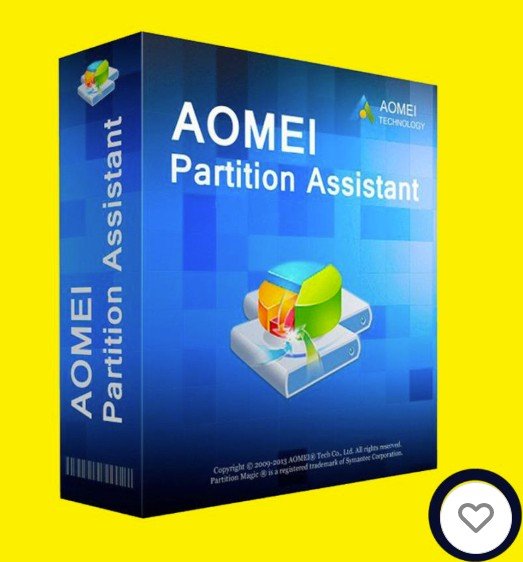
ကျွန်တော်တို့ ကွန်ပြူတာ ဟက်ဒစ်တွေကို အပိုင်းတွေခွဲတဲ့အခါမှာ တခါတလေ Windows မှာ ပါတဲ့ Disk Managment နဲ့လုပ်မရတဲ့အခါမျိုးရှိတတ်ပါတယ်။ တခါတခါ System Reserved အပိုင်းတွေကို ဖျက်မရတာ အဲ့လိုအချိန်တွေမှာ ဟက်ဒစ်အပိုင်းတွေ ပေါင်းချင်တာ ဆိုဒ်လျှော့ချင်တာ အဲ့လိုအချိန်တွေမှာ ဒီ ဆော့၀◌ဲလ်လေးက အကူညီပေးပါလိမ့်မယ်။ ဒါတင်မကသေးပါဘူး ဟတ်ဒစ် အယ်ရာတွေကို စစ်တာ ပြင်တာ စတာတွေလဲ လုပ်လို့ရပါသေးတယ်။
ကျွန်တော့် ၀က်ဆိုက်က VPN မလိုပါဘူးခင်ဗျား။ VPN မလိုတော့ လူကြီးမင်းတို့ အင်တာနက်ဘေလ်ဖိုးတွေ VPN ဆော့၀ဲလ် ရှာရတာတွေ အတွက်အလုပ်မရှုပ်စေပဲ လိုင်းပိုမြန်ဆန်စေပြီး ဒေါင်းလုပ်လုပ်တာလဲ ပိုမြန်ဆန်စေပါတယ် ခင်ဗျ ။ ကျွန်တော်သုံးနေတဲ့ Cloud Drive (ယခု ဆော့၀ဲလ် များကိုရှဲနေတဲ့ Drive) ကနေ ဒေါင်းလုပ်ဆွဲတဲ့အခါ တစ်ခါတလေ ဘရောင်စာမှာ Popup windows လေးတွေကို Allow လုပ်ခိုင်းတတ်ပါတယ်ဗျ အဲ့လိုဆို Popup windows လေးတွေကို Allow လုပ်ပေးလိုက်ပါဗျ ။ လိုအပ်ပါက ဟိုးအောက်ဆုံးမှာလင့်ရှိပါတယ် ယူပါဗျ။
ကျွန်တော့် ၀က်ဆိုက်မှာ နည်းပညာတင်မကပဲ ဘာပဲလိုလို တစုတစည်းထဲဆွေးနွေးလို့ရအောင် Question and Answers လေးတွေလဲ မေးလိုရာမေးလို့ရအောင် ထည့်ထားပေးပါတယ်ဗျ။ ဘာမေးမေး မေးလို့ရပါတယ်ဗျ အားလုံးလဲလိုက်ပါဆွေးနွေးလို့ရပါတယ်ဗျ။ ကိုယ့်အသိပညာကို အခြားသူများကိုရှဲပေးလို့ ရသလို တခြားသူတွေရဲ့ အသိပညာတွေကိုလဲ သင်ယူလို့ရအောင် ဆွေးနွေးလို့ရအောင်လဲ ဒီဇိုင်းဆွဲပြုလုပ်ထားပါတယ်ဗျ။ လိုက်ပါဆွေးနွေးပေးကြဖို့ ဖိတ်ခေါ်ပါတယ်။
Overview
AOMEI Partition Assistant Professional is a comprehensive disk management tool designed for Windows PCs. It offers a wide range of features for managing disk partitions, making it an ideal solution for both personal and business use.
Key Features
- User-Friendly Interface: The software boasts an intuitive and easy-to-use interface, making it accessible even for users with limited technical knowledge.
- Advanced Partition Management: Users can create, merge, split, resize, and delete partitions with ease.
- OS Migration: The tool supports OS migration to SSD/HDD, allowing users to upgrade their system without data loss.
- Disk Cleanup and Optimization: It includes features for disk cleanup and optimization, helping to improve system performance.
- Windows To Go Creator: This feature allows users to create a portable Windows system on a USB flash drive, enabling easy and safe upgrades.
- Dynamic/Basic Disk Conversion: Users can convert dynamic disks to basic disks and vice versa.
- MBR/GPT Conversion: The software can change disk styles from MBR to GPT and vice versa without deleting partitions or losing data.
- Support for Windows Storage Spaces: It supports Windows Storage Spaces, providing additional flexibility in managing storage.
- Command Line Support: Advanced users can utilize command-line options for more control over disk operations.
Pros
- Ease of Use: The interface is simple and intuitive, making it easy to navigate and use.
- Comprehensive Features: The software offers a wide range of features, catering to various disk management needs.
- Efficiency: The latest version is faster and more efficient, with improved compatibility with Windows 11.
- Support: AOMEI provides 24/7 technical support, help documents, video tutorials, email support, and online FAQs.
Cons
- Limited License: The license is limited to two PCs per purchase, which might not be ideal for larger setups.
- Price: Some users find the price a bit high for a one-time use tool.
- Learning Curve: Due to its extensive features, there might be a learning curve for casual users.
Conclusion
AOMEI Partition Assistant Professional is a powerful and versatile disk management tool that offers a wide range of features for both personal and business use. Its user-friendly interface and comprehensive functionality make it a valuable asset for anyone looking to manage their disk partitions effectively.